SmartFair Attendee App Overview
Our SmartFair Attendee App is a powerful tool designed to enhance the college fair experience for students, colleges, and organizers. This app provides key features that streamline event navigation, engagement, and interaction.
 Accessing the app is simple - no download or password needed. For more information, see this article: Getting Started
1. Customized Student Pages: My Matches, Favorites, and Visited
My Matches shows a personalized list of colleges that matched with the student on key attributes, including campus size, areas of study, and geographic region, using College Matchmaking®.
College Matchmaking® helps students build their college fair roadmap. Students receive a list of “best match” and “close match” institutions via email, as well as easy access to their matches directly in the app. This helps students to navigate the college search process with clarity and purpose.
To learn more, see this article: What is College Matchmaking®?
Or visit our website: College Matchmaking®
Favorites shows the list of colleges saved by the student, including their personal notes.
Visited shows the list of colleges that the student connected with at the booth.
2. My Fair Plan
With many colleges and universities to explore, it can be hard to know where to start. My Fair Plan helps you make the most of your time by matching you with colleges based on what you want to study and what matters most to you in a college. Answer a few questions, and we’ll build a personalized Fair Plan that highlights which colleges to visit, where to find them, and what questions to ask at each booth.
You can also email your Fair Plan to yourself, a parent, counselor, or another supporter, making it easy to print and bring with you. This is especially helpful at fairs where phone usage may be restricted or unavailable.
You can also email your Fair Plan to yourself, a parent, counselor, or another supporter, making it easy to print and bring with you. This is especially helpful at fairs where phone usage may be restricted or unavailable.
For more information on My Fair Plan, see this article: My Fair Plan
3. College Fair AI Assistant
The AI Assistant is the in-app fair companion for attendees. Ask it about colleges at the fair, including programs and majors, or about the fair hours and location. Every answer comes from a trusted source.
For more information on the College Fair AI Assistant, see this article: College Fair AI Assistant
4. Select "Scan Me" to view your QR code to connect with colleges.
Each attendee receives a unique QR code that serves as their event pass. This QR code allows students to quickly share their contact details with colleges by scanning at booths, reducing the need for paper forms and making the process seamless.
5. View a list of participating colleges and their booth numbers under "All Colleges."
Select the navigation icon to locate the college's booth in the College Fair Map.
Take notes for each college directly in the app to track your impressions.
Select the heart icon to add the college to your favorites list.
A new way to connect with colleges! Share your info with colleges you're interested in.
This is a great way to pass your info along to colleges you missed seeing at the fair. When you share your info, colleges can connect with you to provide more information and answer your questions.
For more details, see this article: Share My Info
6. Announcements
Stay informed with real-time updates from event organizers. Important notifications about schedule changes, reminders, and special announcements will appear directly in the app to ensure attendees don’t miss key information.
View the Announcements widget on the home screen:
Or you can view Announcements in the top right corner of the home screen:
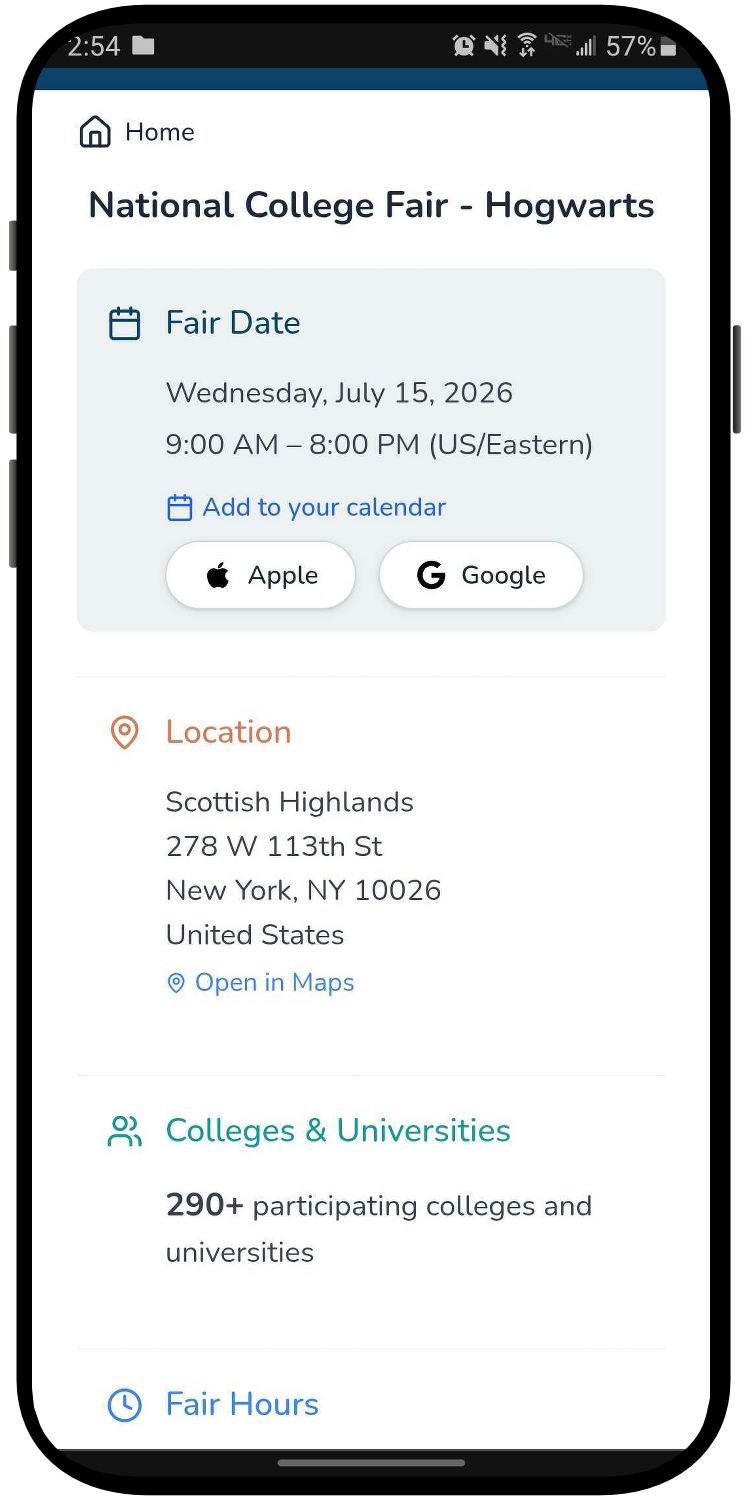
7. Fair Information
Access the fair date, location, and schedule to plan your trip effectively.
8. Bus Schedule
View details on bus routes going to and from the fair.
9. College Fair Map
Easily navigate the fair with an uploaded event layout. The map is interactive, allowing you to zoom, rotate, and search for booths or features.
Search for a college and select the name. The map will zoom in to let you view the booth location.
You can also search for features such as entrances and exits.
10. Our Partners
View sponsorship pages and learn about organizations supporting the event. Read this article: SmartFair Attendee App Sponsorship Opportunities
11. Workshops
View the workshops scheduled for the fair, organized by date and time.
12. Post Fair Activity Report
Keep your fair experience in one place and share it securely after the event. Send a secure, time-limited PDF copy of your Post-Fair Activity Report to yourself, a parent, counselor, or anyone helping you with your college search. Your report includes the colleges you visited, favorited, or shared your information with, along with any notes you added, your completed Fair Plan, and your AI Assistant conversation transcripts. For the most complete report, we recommend sharing it after the fair, once all of your activity has been captured.
You can find the Post Fair Activity Report by selecting the page icon in the top right: